We use cookies to make this site work. We'd also like to set optional cookies so we can understand how the site is used and improve it. We will not set optional cookies unless you accept them. You can change your choice at any time from the Cookie settings link in the footer.
Strictly necessary cookies
These cookies are required for the site to work. They store your cookie preferences and keep your session secure. They are exempt from consent under PECR Regulation 6(4) because they are essential to deliver the service you have requested.
Optional cookies
Optional cookies help us understand how the site is used and provide additional features such as analytics, accessibility tools and translation. We will only set them if you accept.


New Patient Registration
Register as a new patient at Westwood & Pickford Surgery
If you wish to register as a patient at either of our surgeries then we need certain information from you and each member of your family. We need this information to trace your previous medical records.
All new patients are offered a health check with a member of the healthcare team to ensure that any required tests are up to date and that we have an accurate note of any repeat medication you may be taking.
Medical treatment is available from the date of registration.
How to register?
You can register at either of our surgeries by following and completing the checklist below.
Our patient registration policy does not discriminate on the grounds of race, gender, social class, age, religion, sexual orientation or appearance, disability or medical condition.
Check You Live Within The Boundary Area
Enter your postcode to check you live within the practice boundary area.
If you are already a patient and are about to move to a new address please let the reception team know by completing our change of details form. They can decide whether or not you are still within our catchment area. If you are not, and you would like to stay with the practice, please let us know. All cases will be dealt with on an individual basis, by the practice manager and your named doctor.
Register Online as a New Patient
Please use one of the forms below to register at the surgery.
Please Note: We ask that patients check that they live within the boundary area before registering.
All form submissions will be checked by a member of staff before being accepted.
For identification purposes, you will need to upload/show proof of ID and proof of address at the end of the form. Proof of ID can be a passport or driving licence. Proof of address can be a utility bill (gas, electricity or water) or bank statement – dated within the last 3 months.
If you live within the boundary area, and the forms shown above are not applicable to you please use the following forms:
Book a New Patient Health Check
Once registered, you should contact the practice to book an appointment for a new patient health check
NHS England requires that all registered patients have an allocated Doctor within the practice. This Doctor is the named person responsible for your care however you can continue to see whichever clinician you choose.
Visit our appointments page to find out how to book your new patient health check
Temporary Services
If you are ill while away from home or if you are not registered with a Doctor but need to see one, you can receive emergency treatment from the local GP Practice for 14 days. After 14 days you will need to register as a temporary or permanent patient.
You can be registered as a temporary patient for up to 3 months. This will allow you to be on the local Practice list and still remain a patient of your permanent GP. After 3 months you will have to re-register as a temporary patient or permanently register with that Practice.
To register as a temporary patient simply contact the practice you wish to use. Practices do not have to accept you as a temporary patient although they do have an obligation to offer emergency treatment. You cannot register as a temporary patient at a Practice in the town or area where you are already registered.
Your Named GP
All Patients registered with the surgery will have been allocated a named accountable GP who will be responsible for your overall care. However, you can book appointments with any of the GPs at the surgery. If you have a preference to which GP you are allocated, the practice will make reasonable efforts to accommodate your requests. If you wish to know which GP has been allocated to you, please ask reception at your next visit.
The NHS App
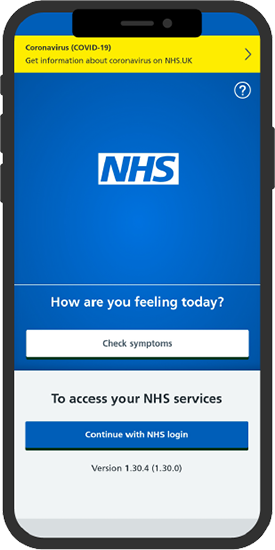
Westwood Surgery would like to invite you to use The NHS App
Owned and run by the NHS, the NHS App is a simple and secure way to access a range of NHS services on your smartphone or tablet.